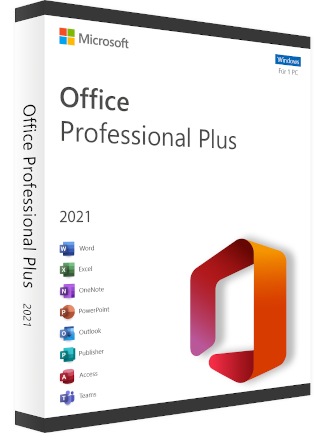
Microsoft Office Professional Plus 2021 (PC) - (Phone CID Activation) - GLOBAL
Region Compatibility
Region
Global
Platform
Microsoft_store
Check description for activation guide
$6.79
Instant Delivery
24/7 Support
About Microsoft Office Professional Plus 2021 (PC) - (Phone CID Activation) - GLOBAL
Microsoft Office Professional Plus 2021 (PC) - Phone CID Activation - GLOBAL
Product Overview
Microsoft Office Professional Plus 2021 is a perpetual license suite designed for PCs, offering core productivity applications. This version is activated via a Phone CID (Confirmation ID) process and is globally valid for use.
Included Applications
- Microsoft Word: Document creation and editing.
- Microsoft Excel: Spreadsheet analysis and data management.
- Microsoft PowerPoint: Presentation design and delivery.
- Microsoft Outlook: Email, calendar, contacts, and task management.
- Microsoft Publisher: Desktop publishing for professional layouts.
- Microsoft Access: Database management system for data organization and reporting.
- Microsoft Teams: Communication and collaboration platform (basic access).
Key Features
- One-time purchase: Provides a perpetual license for a single PC.
- No recurring subscription: Unlike Microsoft 365, this product does not require annual or monthly payments after the initial purchase.
- Local installation: Applications are installed directly on your PC, allowing for offline use.
- Global validity: The license can be activated and used in any geographical region.
- Phone CID Activation: Activation requires a telephone call to Microsoft's automated system to obtain a Confirmation ID, which is then entered into the software.
System Requirements (Minimum)
- Processor: 1.6 GHz, 2-core processor.
- Operating System: Windows 10 or Windows 11.
- RAM: 4 GB RAM.
- Hard Disk Space: 4 GB available disk space.
- Display: 1280 x 768 screen resolution.
- Graphics: DirectX 9 or later with WDDM 2.0 driver.
Installation and license key redemption occur via the Microsoft Store platform.
1Open your delivery email and copy the key.
2Sign in to the Microsoft Store or your Xbox console.
3Choose Redeem a code and paste your key.
4Download and play. Key not working? Contact us within 7 days — we replace it free, or refund you.
🎮 More Games

Sid Meier's Civilization V: Gold Edition (PC)...
EUROPE
$6.29

Subnautica Xbox Live Key EUROPE
EUROPE
$10.19

Euro Truck Simulator 2 Steam Key GLOBAL
GLOBAL
$15.29

Alien: Isolation Steam Key - ROW
ROW
$8.19

Goat Simulator 3 | Pre-Udder Edition (PC) - E...
EUROPE
$14.59

Assassin's Creed Odyssey - Ubisoft Connect - ...
EUROPE
$15.49

Age of Empires IV: Anniversary Edition (PC) -...
GLOBAL
$20.90

Palworld Xbox One / Xbox Series X|S / Windows...
ARGENTINA
$8.39

Need for Speed Heat (Xbox One) - Key - GLOBAL
GLOBAL
$6.49

MAFIA: TRILOGY (PC) - Steam Key - GLOBAL
GLOBAL
$14.29